Cloud accounting · Set up for Mauritania

Every ouguiya in its place.

Your invoices, stock, payroll and reports in one cloud system, with VAT worked out for you.

14-day free trial on Starter No payment during the trial Works on your phone

VAT 16%

Sample company data

  • 22Arab countries, each with its currency and tax
  • 22local currencies
  • 11apps in one system

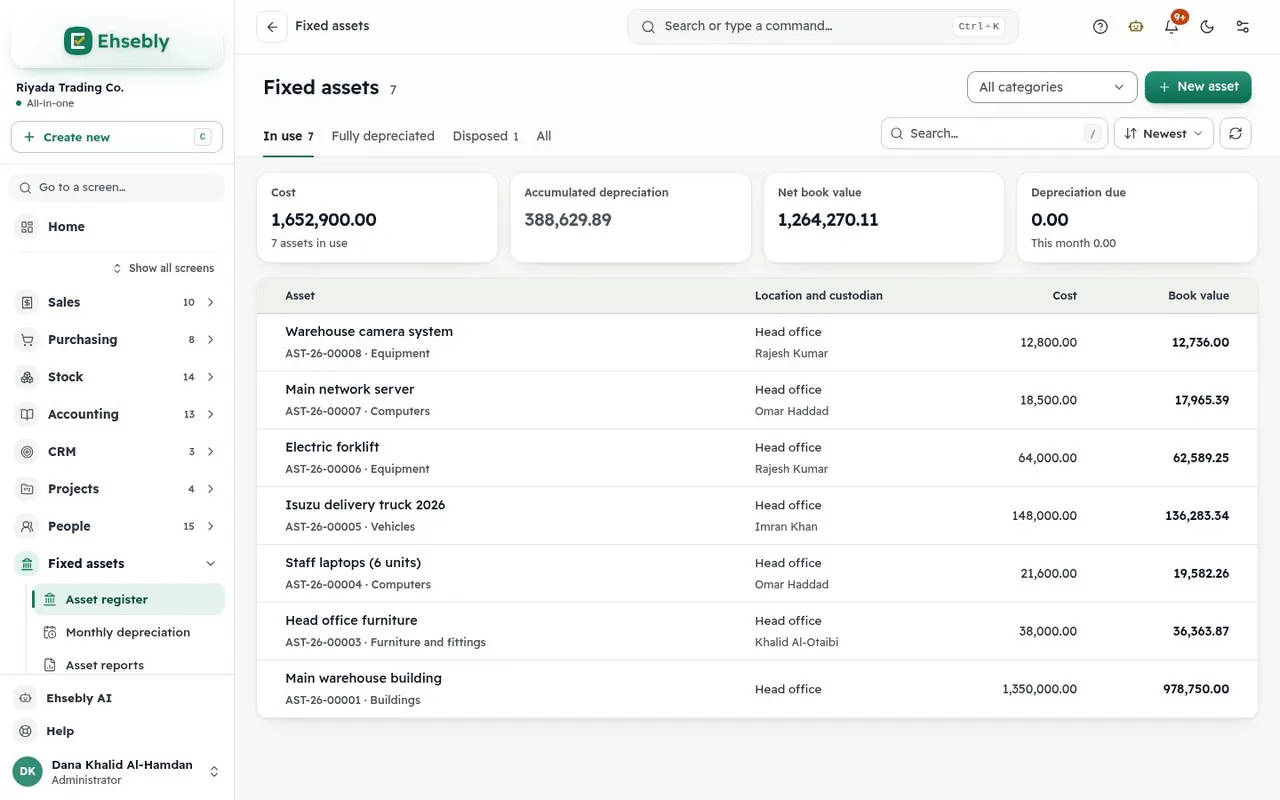
See it at work

From invoice to report, with nothing typed twice.

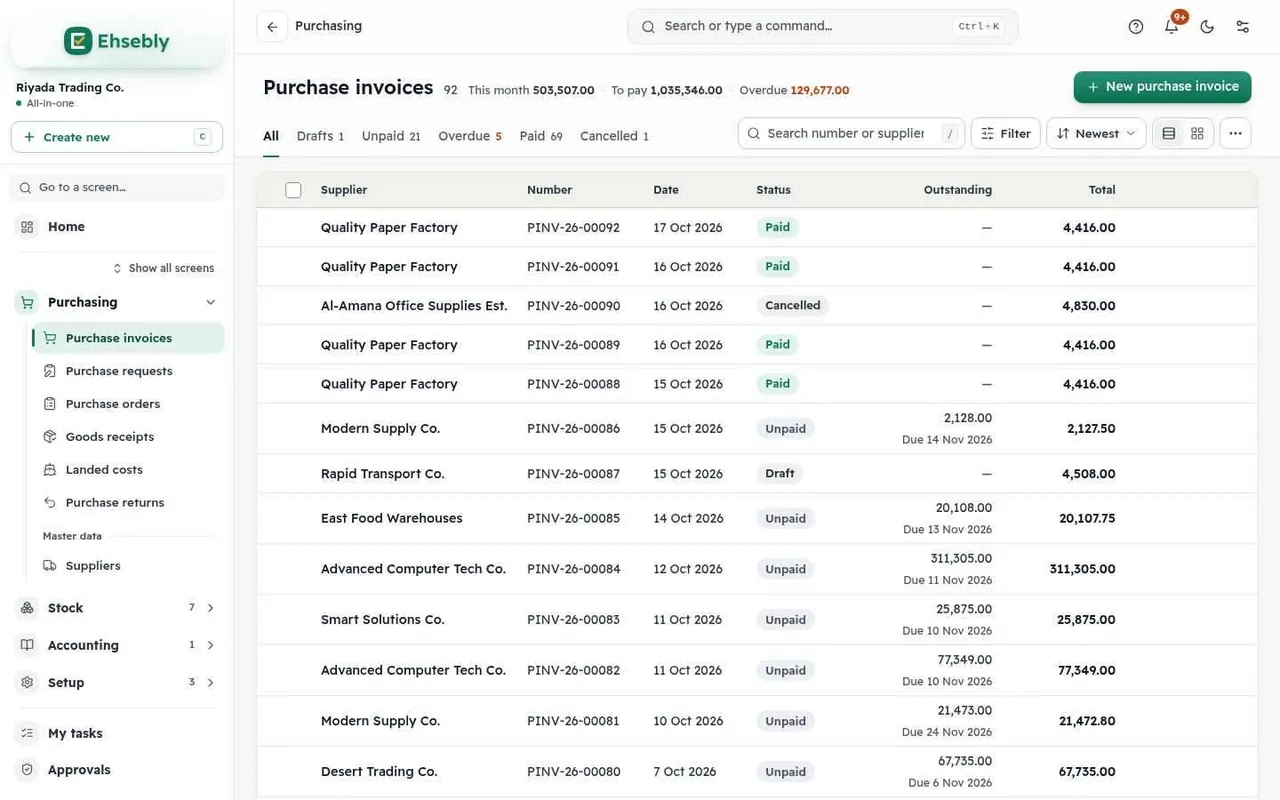
Pick the customer and the items; VAT 16% is worked out for you, and everything is posted to your books the moment you submit.

One receipt settles the invoice in full or in part, and every customer's balance and statement stay current.

Import the bank statement; smart match suggests the entry for every line and you confirm it.

P&L, balance sheet and the VAT return are ready at any moment, each report with a dashboard and Excel export.

Every entry in its place.

Every invoice, receipt and bank line is posted to your books the moment it is approved, so balances stay right and reports stay ready.

  • 22Arab countries
  • 22local currencies
  • 11apps in one system

The apps

Start with a plan, add only the apps you need.

Accounting, sales and purchasing are in every plan. Add inventory, point of sale or payroll when you need them; an app that needs another brings it along.

All the apps

Set up for your country from day one

Ehsebly in Mauritania

Pick your country when you sign up and the company is set up with its currency, tax and labour rules. You can change them later.

Currency
ouguiya · MRU (two decimals)
Tax
VAT 16%
Authority
Tax Directorate
Social insurance
CNSS
Invoices
Tax invoices with VAT at 16% and your tax number, in your currency.
E-invoicing
Not connected to government e-invoicing systems today; you issue tax invoices to print and share.
Weekend and leave
Saturday and Sunday · annual leave 18 days

VAT calculator 16%

VATMRU

Total with taxMRU

22 Arab countries — pick yours to see its prices and wording

Numbers you can trust

Your business data stays yours.

  • Each company kept apart

    In the data layer itself, not only in the screens.

  • Permissions and approvals

    Ready roles, per-screen permissions and approval rules.

  • A history on every document

    Every change, print and share is kept in the document's history.

Everyone sees only what is theirs.

Home Sales Purchasing Stock Accounts Reports CRM People Setup

Role

Administrator

Sets up the company and its apps, invites users and gives them their roles, and sees every screen.

What it can do

ViewCreateEditSubmitDelete

sees and workssome screenshidden

Homeview Sales Purchasing Stockview Accounts Reports CRM People Setupsome

Role

Accounts manager

Oversees all accounting: journal entries, receipts and payments, banks, budgets, period closing and reports.

What it can do

ViewCreateEditSubmitDelete

sees and workssome screenshidden

Homeview Sales Purchasing Stockview Accounts Reportsview CRM People Setup

Role

Accountant

Records journal entries, receipts, payments and expenses, and reconciles bank transactions.

What it can do

ViewCreateEditSubmit

sees and workssome screenshidden

Homeview Sales Purchasingsome Stockview Accountssome Reports CRM People Setup

Role

Sales

Creates quotations, sales orders, sales invoices and returns, and follows up customers.

What it can do

ViewCreateEditSubmit

sees and workssome screenshidden

Homeview Salessome Purchasing Stockview Accounts Reports CRM People Setup

Role

Cashier

Sells from the Point of sale, and opens and closes their shift.

What it can do

ViewCreateSubmit

sees and workssome screenshidden

Homeview Sales Purchasing Stockview Accountssome Reports CRM People Setup

Role

Purchasing

Creates purchase requests, purchase orders and purchase invoices, and follows up suppliers.

What it can do

ViewCreateEditSubmit

sees and workssome screenshidden

Homeview Salessome Purchasingsome Stock Accounts Reports CRM People Setupview

Role

Stock

Manages products and warehouses, transfers and counts stock, and receives and delivers goods.

What it can do

ViewCreateEditSubmitDelete

sees and workssome screenshidden

Homeview Sales Purchasingsome Stock Accounts Reports CRM People Setupview

Role

People (HR)

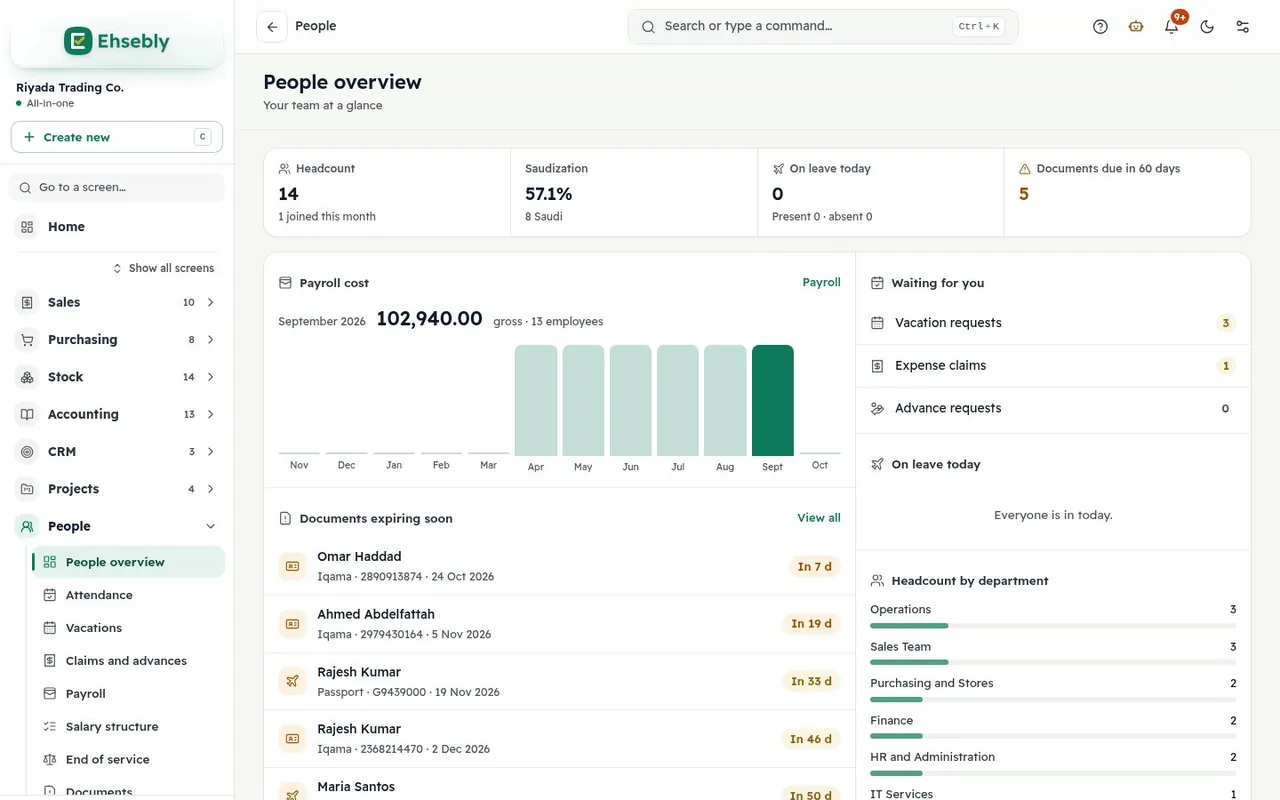
Manages employees, attendance, vacations, payroll and end of service.

What it can do

ViewCreateEditSubmitDelete

sees and workssome screenshidden

Homeview Salessome Purchasing Stock Accounts Reportsview CRM People Setup

Role

Custom permissions (example)

Works only in the screens the administrator chose for them.

What it can do

ViewCreate

sees and workssome screenshidden

Plus approval rules up to three levels, and a password re-check before sensitive actions.

How we protect your data

Advanced help built into the app

Learn Ehsebly yourself — no training course needed.

Everything you need to start and master your work is inside the app: a guide in your language and for your role, visual tours that walk you through the screen itself, short videos, and a tip on every field.

  • The «?» button on every screen opens the explanation of the screen you're on
  • In Arabic and English, with a separate guide for the system admin
  • And when you need a hand: open a support ticket inside the app and get the answer there
  • User guideChapters for every part of the app, with search that opens the answer directly.
  • Visual toursPicture-by-picture steps that show each screen and where to click, for every app.
  • Short videosClips that walk through the main tasks, in Arabic and English.
  • A tip on every fieldWhat the field means and what to enter, without leaving the screen.
  • Ehsebly AIAsk how to do something or about your figures — within your permissions.
  • PDF guides and decksDownload the full guide to print it or share it with your team.

Four steps

Start the same day.

  1. 1

    Sign up

    Your company name and e-mail, then a password.

  2. 2

    Pick your country and apps

    Currency, tax and the chart of accounts are set up for you.

  3. 3

    Import from Excel

    Customers, suppliers, products and opening stock in one go.

  4. 4

    Invite your team

    Each person with their role and permissions.

Prices in the currency of Mauritania

Clear plans that start small and grow with you.

Starter

For services and offices: accounts, sales and purchase invoices

SAR 1,600/ year

before subscription VATSave 17% · SAR 133.33 a month

Start a 14-day free trial

No payment during the trial

  • 2 users
  • Accounting, financial reports and the VAT return
  • Sales and purchase invoices and returns
  • Service items
  • Add HR and payroll or fixed assets when you need them

Extra user SAR 65 a month

Growth

Best for shops

For shops and growing teams: stock, point of sale and the AI assistant

SAR 3,000/ year

before subscription VATSave 17% · SAR 250 a month

Start a 7-day free trial

No payment during the trial

  • 5 users
  • Everything in Starter
  • Inventory, warehouses and stock counts
  • Point of sale and shifts
  • The Ehsebly AI assistant

Extra user SAR 75 a month

Business

Every app for a bigger team

SAR 4,800/ year

before subscription VATSave 17% · SAR 400 a month

Choose Business

Pay your first invoice once your company is set up · full refund within 14 days

  • 8 users
  • Every app
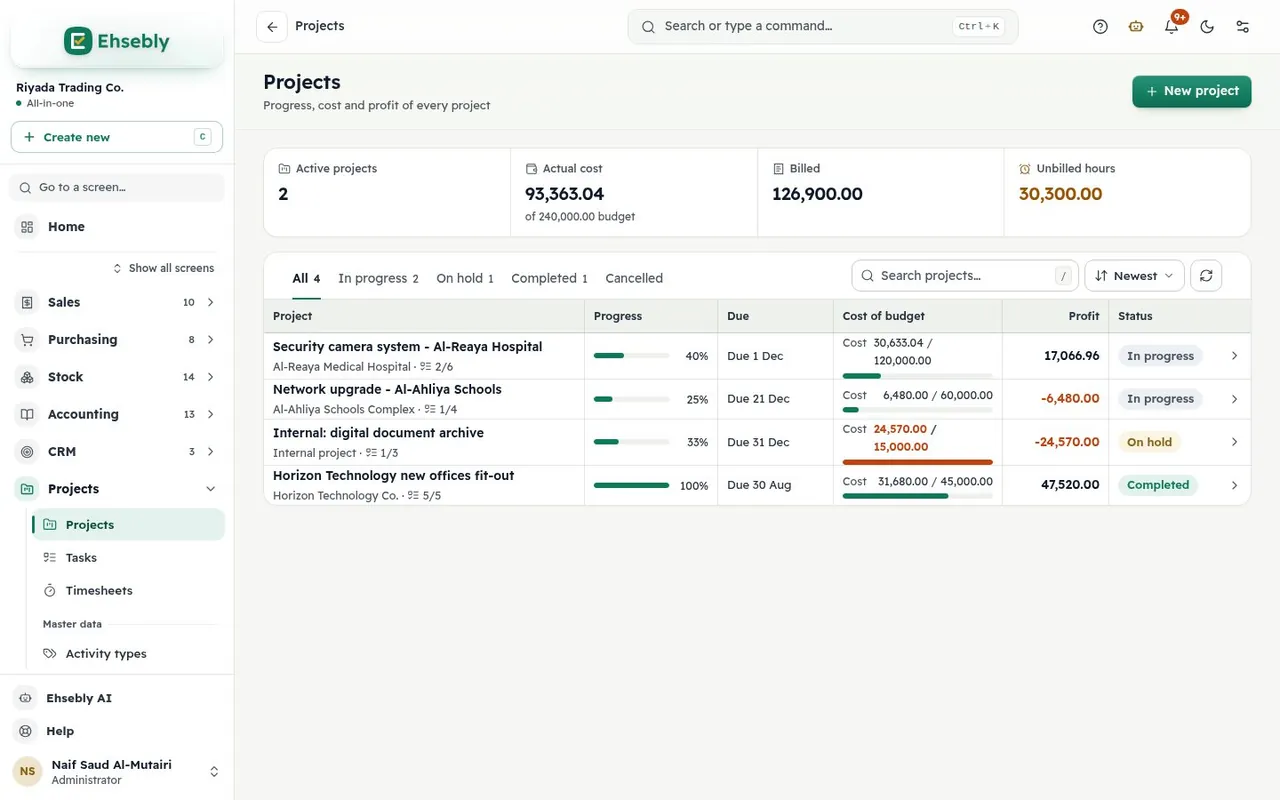
  • HR, payroll, projects and fixed assets
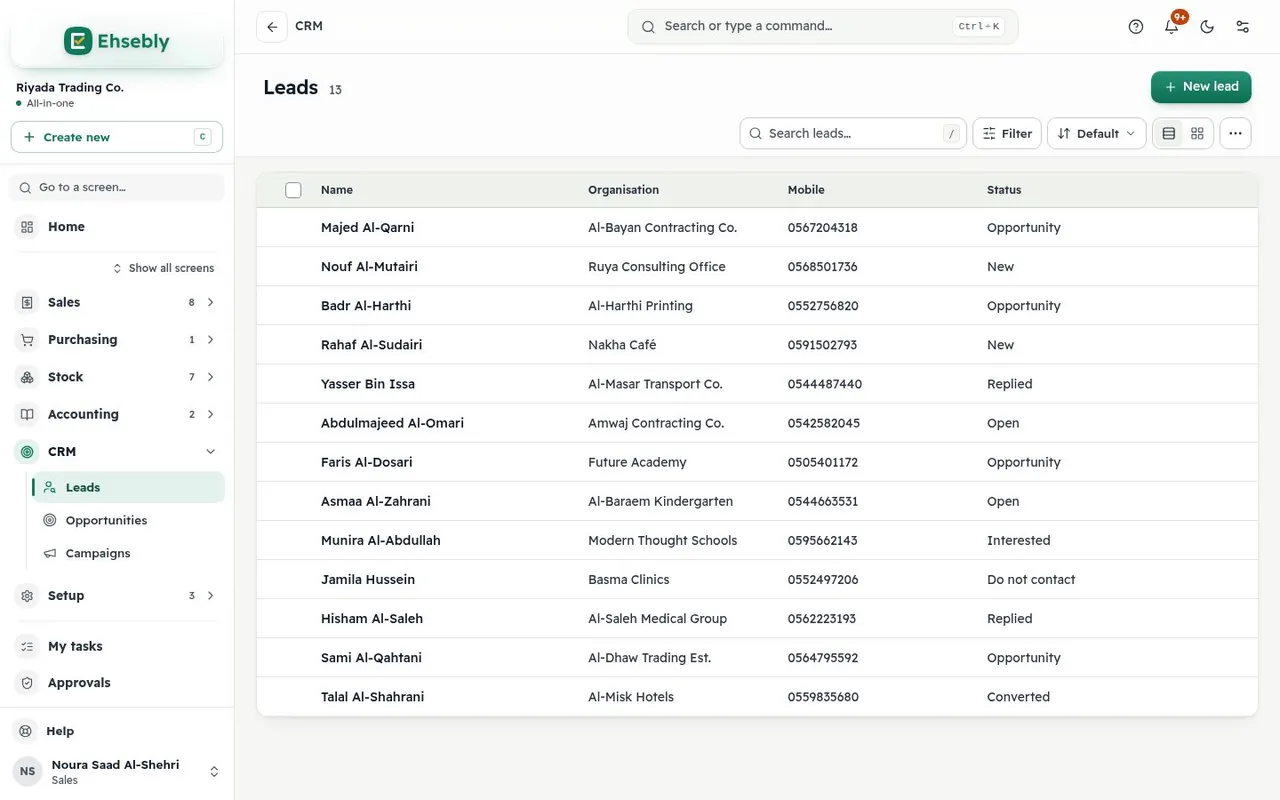
  • CRM: leads and opportunities
  • The Ehsebly AI assistant

Extra user SAR 95 a month

Compare plans and add-on apps

Questions

Before you start.

All questions

Knowledge center: articles on VAT, e-invoicing and payroll

Can't find your question? Contact us and we'll answer.

Ask for a demo, about pricing or for support. We reply within two working days.

Contact us
What is Ehsebly?

Ehsebly is cloud accounting and business software for small and medium businesses in Arab countries. You sign your company up online, pick its country and the apps you need, then work in Arabic or English on desktop and phone.

Which countries does Ehsebly support?

22 Arab League countries, each with its currency, default tax rate, tax number, weekend and labour rules. A company can change its own tax rate.

How is VAT handled in Mauritania?

The company is set up at 16% with its tax number; you issue tax invoices in your currency and get the tax return in the reports. You can change the rate. Ehsebly does not connect to government e-invoicing systems today.

Can I add apps later?

Yes. Accounting comes with every subscription; add inventory, point of sale, payroll or others whenever you need them.

Can I bring my data from another program?

Yes, from Excel: customers, suppliers, products and opening stock (up to 300 rows and 2 MB a file). Opening account balances go in as an opening journal entry; old documents stay in your previous program for reference.

Ehsebly… and relax.

Every ouguiya in its place. In the currency of Mauritania with its tax, from today.

14-day free trial on Starter · no payment during the trial

Start with Ehsebly

Every ouguiya in its place. In the currency of Mauritania with its tax, from today.

14-day free trial on Starter · no payment during the trial

Sign in Start now